Introduction
You have probably heard “AI agent” used to describe everything from a customer-service chatbot to a system that books travel on its own. The term has become so loose that it is in danger of meaning nothing at all.
There is, however, a useful distinction hiding under the hype. A chatbot answers. An AI agent answers and takes action. Understanding that difference — and the loop behind it — will help you judge vendor claims, decide whether you need an agent at all, and set sensible limits on what one should be allowed to do.
The simple definition
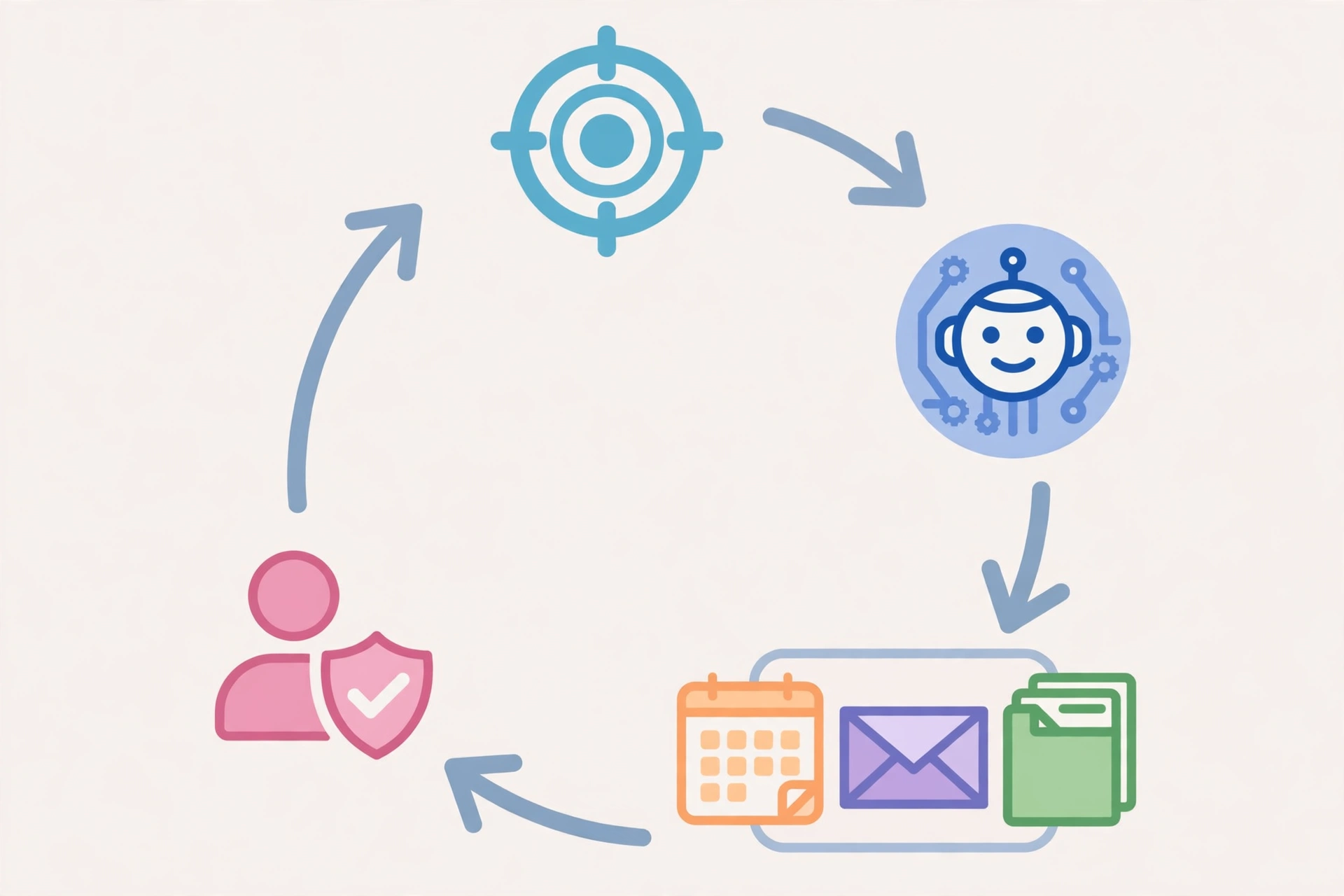
An AI agent is a software system that pursues a goal by working through steps on your behalf: it perceives information, reasons about what to do next, uses tools to take actions, checks the results, and adjusts its plan until the goal is met or it needs to hand control back to a person.
A plain way to remember it: a chatbot stays inside the conversation, while an agent can reach outside it — into a calendar, a database, a file, an email inbox, or another service — and change something there.
Three ingredients make a system an agent rather than just a chatbot:
- A goal, not just a question. The user gives it an outcome to achieve (“prepare my expenses for this month”), not a single question to answer.
- Tools. It can call functions and services: search the web, read a calendar, query a database, send an email, or run code.
- Control over its own next step. The underlying model decides which tool to use next based on what the previous step returned, and it recognizes when the task is complete — or when it has failed and should stop.
If any of those three is missing, you are probably looking at a chatbot, an assistant, or plain automation with an AI label attached.
The agent loop: sense, decide, act, check
Most agents work through the same repeating loop:
- Sense — gather information: read the goal, check the calendar, look up the order, read a file.
- Decide — reason about the best next step toward the goal.
- Act — call a tool: book the meeting, update the ticket, send the draft, run the code.
- Check — read the result. Did the booking succeed? Did the code run? Is anything missing?
- Repeat — adjust the plan and continue, or stop and report back.
A quick test captures the whole idea: can this system change something outside the chat — a calendar event, a database row, a file, a ticket? If yes, it is acting as an agent. If no, it is a chatbot, however fluent its replies may be.
AI agent vs chatbot vs automation
| Chatbot | AI agent | Traditional automation | |
|---|---|---|---|
| Main job | Answer messages | Achieve a goal | Run a fixed sequence |
| Input | One message at a time | A goal, plus tool results | A trigger or schedule |
| Next step | Fixed by the conversation | Decided by the model | Fixed in advance |
| Tool use | Usually none, or a single lookup | Multiple tools, chained | Fixed integrations |
| When it stops | When the chat ends | When the goal is met, or it fails | When the sequence ends |
| Best for | Predictable questions | Multi-step work across systems | Repetitive, unchanging tasks |
Automation is not worse than an agent — it is often better. A fixed workflow that always does the same thing is easier to test, cheaper to run, and more predictable. An agent earns its complexity only when the steps genuinely vary: different inputs, different exceptions, different tools depending on what it finds.
Everyday examples, by autonomy level
Not all agents are equally autonomous. It helps to think in levels:
Level 1 — Assisted action. The agent prepares work for a person to approve. Example: it drafts replies to support tickets from order data, but a human sends them. This is the safest starting point for most teams.
Level 2 — Supervised action. The agent completes routine steps and reports back, asking for approval before consequential actions such as payments or external messages. OpenAI’s ChatGPT agent, launched in July 2025, follows this pattern: it browses, runs code, and produces files, but asks before consequential steps.
Level 3 — Multi-system workflows. The agent coordinates several systems with human review at defined checkpoints. Example: it reviews a support case, checks the order and refund policy, prepares the refund request, updates the ticket, and hands the exception to a person rather than completing the payment itself.
Level 4 — Ongoing operations. The agent monitors events and acts within strict guardrails — for example, triaging incoming requests overnight and escalating anything unusual. Few organizations should start here; the guardrails, logging, and rollback plans matter more than the model.
Concrete cases you may recognize: a coding agent that takes an assigned issue, works in its own environment, and opens a pull request for human review; a travel helper that checks calendars, finds flights within a budget, and holds — but does not buy — the best option until you approve; a research assistant that gathers sources, compares their claims, and produces a draft with citations for you to verify.
Where agents help — and where they do not
Agents are a good fit when:
- The work spans multiple systems (calendar plus email plus a ticket system).
- The steps vary depending on what is found along the way.
- A human review checkpoint can sit before anything irreversible.
- The cost of an error is recoverable: a draft can be edited, a ticket can be reopened.
Agents are a poor fit when:
- The task is a fixed, repeatable sequence — use automation instead.
- The action is irreversible and high-stakes, such as moving money, deleting data, or sending legal notices, without approval.
- There is no logging, so nobody can tell what the agent did or why.
- The “agent” is really a chatbot with a new label and no tool access at all.
The risks nobody should skip
Agents introduce risks that chatbots do not, because they act:
- Wrong tool, wrong target. An agent can update the wrong record or message the wrong person if its instructions or data are ambiguous.
- Permission creep. An agent with broad access can do far more damage from one mistake than a chatbot can. Give it the narrowest permissions the task needs.
- Confident errors at scale. An agent can repeat a mistake across hundreds of records before anyone notices. Logging and rate limits are not optional extras.
- Prompt injection. Instructions hidden in web pages, emails, or files the agent reads can try to redirect it. Treat tool outputs as data, not as instructions from you.
The practical response is boring and effective: narrow permissions, approval before irreversible actions, full logs of what was done, and a human who can stop the agent and undo its work.
How to evaluate an “AI agent” product
When a vendor says “agent,” ask five questions:
- What tools can it actually call, and what can it change outside the chat?
- What happens when a step fails — does it stop, retry, or escalate to a person?
- Where is the approval step before payments, deletions, or external messages?
- Can you see a complete log of its actions and undo them?
- What permissions does it hold, and can you narrow them to one task?
If the answers are vague, you are probably being sold a chatbot or a workflow with a fashionable name. That may still be useful — just price it and judge it for what it actually is.
Frequently asked questions
What is the difference between an AI agent and a chatbot?
A chatbot answers messages. An AI agent pursues a goal by deciding its own next steps and using tools to change things outside the conversation.
Are AI agents the same as AI assistants?
Not quite. An assistant usually helps within a conversation — drafting, summarizing, answering. An agent goes further by taking actions across systems on your behalf. Many products blend both.
Do I need an AI agent?
Only if your work genuinely involves multi-step tasks across tools where the steps vary. For predictable questions, a chatbot is enough. For fixed sequences, automation is simpler and safer.
Are AI agents safe?
They can be, with narrow permissions, approval before irreversible actions, logging, and human oversight. An agent with broad access and no checkpoints is a risk, however good its language skills are.